Tampilkan postingan dengan label Tech News. Tampilkan semua postingan

Some Reasons Causing Android Smartphone Hangs

Today's modern era, generally smartphone does have exceptional features than a regular cell phone, be it BlackBerry, Android smartphones such as Samsung Galaxy, Nokia, Sony Xperia, etc. However, all the devices still have weaknesses, especially in the resilience of hardware and software crash risk.
In the discussion, this time, we will discuss the causes of smartphones often hangs and then suddenly restart itself, including:

  1. 1. File management is not good and messy
    Managing files in your smartphone are highly recommended, such as cache and cookie are still lodged in your smartphone. Because if the junk files like that are not in the clear and well-run, it will cause your smartphone will be more severe and could lead to hang smartphone.

  2. 2. Running multiple applications simultaneously
    Run many applications simultaneously will cause the performance of the smartphone to be heavy and have to hang a huge risk. Use of existing applications to prevent smartphone interchangeably hangs and error.

  3. 3. Too many applications that are installed on the smartphone
    Too many applications android installed on PlayStore or from APKs that are not within the capacity of the device on your android phone, for example, you install 3d games in PlayStore while the game requires specification of android device that is above average, especially the GPU and RAM memory is enough well, the GPU functions to display the image, if your android device does not support GPU and RAM than average better not be imposed as it would lead to the failure of operation, locate the appropriate application to your android device.

  4. 4. The occurrence of the Software System Crash
    This can occur if you modify or add an application that resides on a system or it can occur due to other things like removing the application system, the most common thing is damage due to the modification.

  5. 5. Not having a reliable antivirus application on smartphone
    Smartphones have already approached the operating system OS computers and laptops so desperately need users to install antivirus and update it. Especially if you frequently online then it is absolutely necessary to prevent virus entry into your smartphone and can lead to hang.

  6. 6. Excessive use your Smartphone
    Surely this will not be a trivial thing, Smartphone Usage in excess can lead to overload the CPU and memory RAM if it happens android smartphone will hang and will even restart itself.

  7. 7. Memory storage is full

    Memory storage is full could lead to your smartphone hangs. The solution is to delete data that is not needed or immediately move to a computer or laptop.

    So a few things that will lead to hang on a smartphone. Therefore more careful in the use of smartphones in order not to hang. I hope the above review useful to you.

Tips on buying a good quality POWERBANK


Power Banks are portable devices to charge the battery at any time, and anywhere. But many sellers in the market power of banks so that many consumers are confused to choose a good bank power products.
Some things to consider in how to choose before buying POWERBANK Right For Smartphone is as follows:

  1. 1. Note Cell POWERBANK
    Most people buy POWERBANK regardless of the type of cell from POWERBANK itself. But you should also pay attention because the cell on the power bank will affect whether or not the durable power of a power bank. Cell A great example is Japan Cell, Cell Samsung, Sanyo Cell etc.

  2. 2. Capacity POWERBANK
    Powerbanks, in general, have different capacities with the label. If the calculated Power bank which has a capacity of 5600 mAh is used to charge the battery capacity of 2100 mAh, the power of the bank will be able to fill up to 3x charger to the brim. While in general there were only capable POWERBANK fully charge up to 2x or 1x only. Quality POWERBANK usually have real power close to 100% of the label.
  3. 3. Completeness sees accessories from Power Bank
    That we need to consider is how to choose the completeness of accessories available from the power bank. The most important thing is that we can try it first to see if there are light indicators, connectors, cable A / C as well as original battery. We can try to be able to see beforehand completeness that existed before we buy power bank.
  4. 4. Observe the Product Warranty

    We suggest you choose a product that has a warranty of 1 year. and make sure the warranty is not authorized warranty counter or personal guarantee. KW many products on offer at a low price and a 1-year warranty as well but is not an official guarantee.

  5. 5. Observe POWERBANK brand.

    Choose brands POWERBANK nice and reliable on the market, here are 5 brand power bank is a nice quality in the market. Such as Vivan, hippo, Xiaomi, Sony, Advance and Samsung. Of course, the better the brand price of goods also follows.
So little information tips and tricks in choosing POWERBANK nice. Make sure you buy quality POWERBANK considering this device is needed when you are traveling a lot, camping or traveling which takes a long time on the trip.

How To Take Good Care of POWERBANK

Gadgets such as smartphones or tablet have become something which can not be separated from human activity at this time. It also encourages the emergence of some accessories for smartphones and tablet gadget that is expected to maximize the gadget. One of the accessories on the rise among users of smartphones or tablet is Power bank Charger. Powerbank existence as a battery or a backup charger for gadgets product is needed for this gadget facilitate the activities of the users who want mobile at any time. But unfortunately, little gadget users who know how to care for this bank power so durable and long lasting.
In order to power the bank that you use is always the optimal functioning and durable, some care how power following bank you can apply.

  1. 1. Always recharge it with a full POWERBANK
    POWERBANK is the electrical power storage device which can then be channeled into a variety of gadgets. In order to function optimally power bank in transferring the stored power, so make sure you are always charging the bank with full electric power. The goal for charging the gadget also remains optimal. If your mobility is very high it is strongly recommended to buy power bank with the largest capacity in the market. It usually becomes larger in size and weight. But it is certainly not a problem because you need it most.

  2. 2. Do not use POWERBANK To Drop (Blank)
    It can also lead to power your bank quickly broken for reasons of scientific I do not really know exactly but according to some surveys that I did (incidentally I've become sales POWERBANK), power banks are often used to drop or until power is depleted age shorter compared with the power bank in use is not until the end, and the chargeback.
  3. 3. Turn off your smartphone when using POWERBANK
    When you charge the smartphone or whatever device it should not he use it because it can cause instability of the current issue POWERBANK to your device. this will also be bad for your device.
  4. 4. Use original powerbank charger only
    Each package purchasing power bank will be equipped with a data cable or connector which is used as an electric power delivery media. Unfortunately, sometimes the default data cables to power the bank is not appropriate when applied to the battery of your gadget. This mismatch will cause the refill process becomes longer and more severe effects is in the form of damage to the battery of your gadget. Therefore, make sure you know the suitability of the data cable with power bank with the gadget.Untuk avoid bad things, it is advisable to always use a data cable default gadgets. With so battery gadget safer from the threat of bad.
  5. 5. Avoid exposure to extreme temperatures
    Saving power bank also should not be arbitrary, because it can damage the functionality of this device. Power bank should not be put in places that are too hot and too cold. Due to the condition of the room temperature that does exactly this will make this device easily damaged. If the condition is urgent then you must provide a special place so that the air temperature remains appropriate storage area. Temperatures were normal for power storage bank is between 24 degrees to 26 degrees Celsius. Avoid power bank from exposure to direct sunlight. This condition will cause the various components of the power bank will be easily damaged. If this happens then you should immediately buy a new power bank.
  6. 6. Keep the power bank from an impact or fall
    Powerbank is an electronic device that can be easily damaged when experiencing certain conditions. Therefore, you should keep the power bank from falling, severe shocks, submerged in water and other conditions that are extremely harmful. If these conditions occur in the power of your bank, then surely this device will be faster downhill performance and quickly damaged. Place the power bank in a safe and careful in carrying it. You could have an impact negligence can be fatal to a store's power.
  7. 7. Keep it dry
    Water can definitely damage this device so as much as possible do not expose this device to extreme temperatures that may cause water or moisture damage. There are a lot of protective cases that they can buy as a protection for this gadget.
Likewise, reviews from me about how to care for POWERBANK so durable and not easily drop, assuming the above article is no word errors please understandable. Hopefully this article helpful.

How To Take Care of Your Smartphone Touch Screen For More Durable

Currently, there is the little variety of electronic company creates touchscreen phones. Even though they are competing in order to penetrate the market and attract the gadget lovers worldwide remedy using its products.
Lots of exciting features offered in it. Because that which is one public appeal until finally chose touchscreen phones as a means of everyday communication.

However, some of them still do not know and realize, that the mobile phone touchscreens also require extra attention in their care in order to stay awake quality. Why should get extra in treatment? That's because care touch screen is very different from the usual screen. Improper maintenance will make the device easy to be damaged and this is a loss for gadget users.

It can be overcome, for example with the addition of Gorilla Glass screen or technology similar to that purpose is the same, to be a touch screen protector. But not all touch-screen smartphone has not added Gorilla Glass technology or similar technology, therefore caring touch screen phone that is not perishable and durable as well as durable an act that should not be overlooked.
Here we summarize some tips and ways on caring for the touchscreen smartphone that is easy to do.

  1. 1. Clean Screen Smartphone
    This is the most fundamental if you have a touchscreen smartphone. Clean the touch screen regularly to avoid damage to the screen, and it can also remove dirt and dust off. The trick routinely wipes your smartphone screen using a soft cloth or tissue that has a smooth texture. It would be better if you use a special fabric, which is a microfiber cloth to clean it.

  2. 2. Use Screen Protectors
    Using a screen protector on your smartphone is mandatory. It aims to keep the touch screen of your smartphone stays clean from dust, direct touch of your hands and dirt. In addition, this screen protector can for insurance if one day your phone is dropped, then the least damage to the screen will be reduced and can extend the life of your smartphone. And although the screen of your smartphone is equipped with Gorilla Glass, still, you have to add the screen protector is due to the fact his Gorilla Glass technology is not perfect because it can still be damaged even if only exposed to dust of the road. This screen protector you can buy the same when you buy a smartphone.
  3. 3. Wear Protective Smartphone
    This smartphone can be a protective casing or flip accessories that aim to prevent friction on the smartphone and the screen, especially when entering into the dashboard of his car, pants pocket or in a bag. It is worthy of your notice because your expensive smartphone must be maintained in order to remain durable and not easily damaged physically. In addition, this smartphone protector can minimize the damage when the smartphone and fell. Patron of this smartphone you can buy a package with a screen protector, and is available in all stores and smartphone gadget accessories.

  4. 4. Don't use nails When Pressing Screen
    Pay attention to your hands, make sure the nail on the finger you are not potentially damage the touch screen of the phone. Because many people who use their nails to press or tap the screen smartphone. Nails are sharp, hard and long may damage the screen of your smartphone. So, if you want to cut your nails your phone's touch screen safe.

  5. 5. Keep out of the Magnetic Field
    Be careful if your smartphone too often adjacent to the magnetic field. This can lead to damage to the smartphone and its touch screen, but it can also lead to reduced its sensitivity on the smartphone display. Therefore, keep your smartphone from the magnetic field. This magnetic field is usually found on some electronic goods.

  6. 6. Don't press the touchscreen too hard
    Normally something like this happens when you're playing games or running applications. I was so engrossed in her you play the game, it could be you press the touch screen hard. When this happens continuously, then over time the touch screen on your smartphone will be damaged and not only that, it is also possible that the LCD also damaged. So, be careful in pressing the screen.

That tips and how to care for and maintain the smartphone screen to avoid damage. I'm sure you all can practice the above tips and how to properly and correctly. Hopefully, this article can be useful to you.


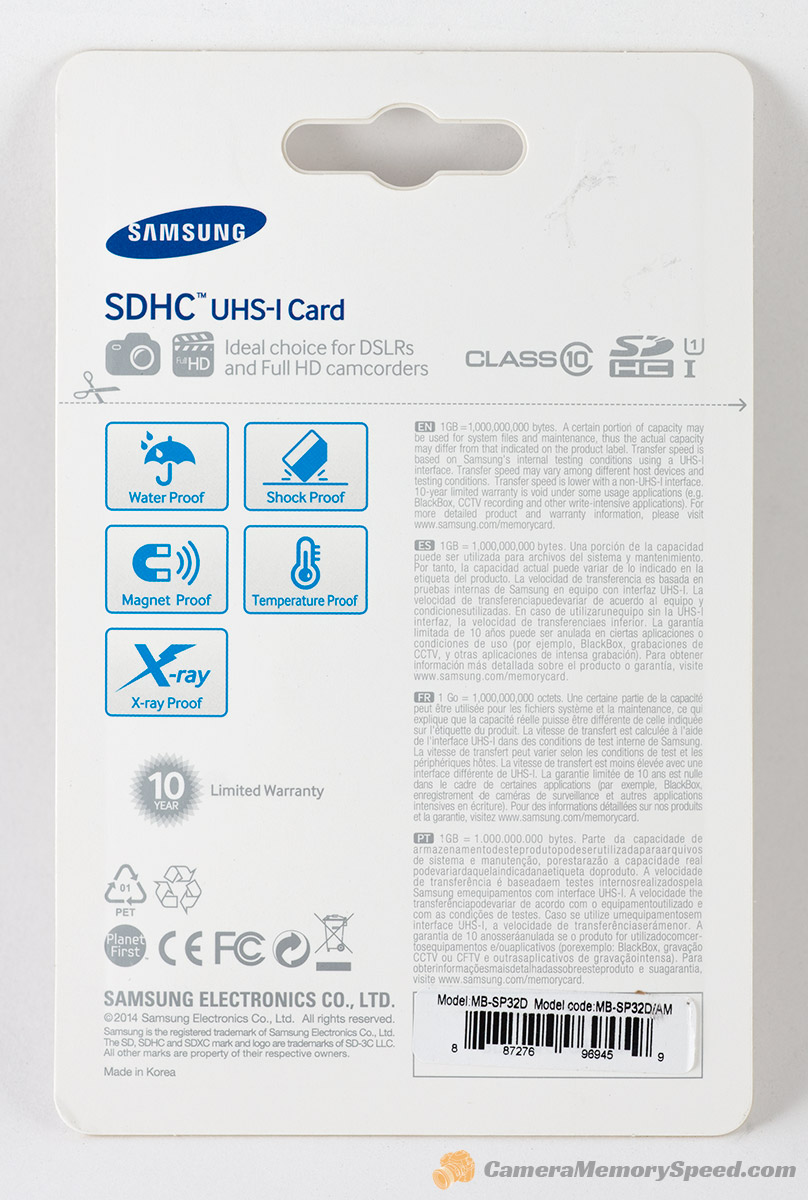
Tips on Choosing a Memory Card Before you Buy it


Along with the increasing sophistication of technology development capabilities of smartphones, digital cameras, and the latest gadget, then the need for a data storage medium-large files makes the memory card (memory card) as a basic requirement that is inevitable. Moreover, create local-hp hp usually minimal in the internal memory capacity, the memory card is a reliable solution that is required to support a limited internal memory. But you know that from various memory cards that have turned out to have different types and unique specifications that make it different from each other.


If you are new to a memory card or sd card and intend to buy, you should first understand the types and specifications as needed, why it is important for you and your device. You will have a better understanding of what works on your device and why. Additionally, you should be able to choose the right SD card for phone, camera, tablet or whatever gadget you are and how you want to use. Not funny if you buy the wrong type of memory card simply because it is less understanding and less careful in selecting ?
Well, before you go any further in choosing a memory card, you will shed some light on various sd card (commonly circulating at this time) so you avoid mistakes and can make choices, what a memory card that fits precisely and carefully.  Here's the explanation :

1. Specifications Type SD, SDHC, and SDXC
The first thing you need to know is the type of memory card that fits your gadget or mobile device with a look at the gadget itself, or a reference from a guidebook or other information media (newspapers, magazines, tabloids, etc.). This is to avoid the possibility of buying a type because it is impossible to install a memory card specifications are not appropriate.
Secure Digital Association (SDA) to develop specifications for all SD cards and devices that support it. To use a specific type of SD card in the camera, for example, the camera manufacturers must comply with the SD Association specification. Memory cards currently in circulation among the types of SD, SDHC, and SDXC. This type of memory card hold in all conditions and safely if dropped at a height below 2 meters. 

2. Shape and Size Memory Card
The shape and size of the memory card
Besides causing memory card capacity becomes larger and the speed increases, the development of advanced technologies also cause a form of memory becomes smaller making it easier to take traveling, kept in a pocket or other media.

3. Label Class and Speed ​​Memory Card
The third thing that is equally important is to determine the needs for speed reading and writing of the memory card. Each of these digital devices has different data transfer speeds. Match velocity (speed) memory card to be purchased with existing devices. If confused do not hesitate to ask the seller. The goal, so you do not accidentally buy a memory card.
Level speed memory cards are classified by code number. On each SD card labeled with one of the speed class ratings. Currently for non-UHS memory cards are divided into four different classes. You will find the speed class number written in the letter "C" on the label non-UHS card. While the memory card only consists of UHS speed class 1. As an identifier, you'll find a numerical grade rating written in the letter "U" on the label card.

4. Memory Card Warranty


The next thing to consider is the warranty that you get when buying a memory card. Ensure Micro sd purchased has an official guarantee. Try to buy a memory card lifetime warranty (lifetime warranty). The names of famous sorts of SanDisk, Transcend or V-Gen certainly provides a lifetime warranty so you do not worry too much if the memory card data is lost or damaged while in use. you suggest you should buy branded memory cards are sold in the condition of the packaging is still sealed or packing intact. Also, examine the after sales service (after sales service) brand would you buy.

 5. Adjust the size of Memory Needs


Image result for size SD Card
The other important thing is to recognize first memory card will be used for any gadget, whether smartphone, MP3 player, tablet, digital camera, PDA or other. After that adjust the size of how much memory you want to buy the necessities. The point here is that if you are the person who is happy to store music files, videos or games it is proper that you buy a memory card capacity is big enough. But if you do not put too many files in the phone or tablet you buy suffice it to the small-sized memory card. No need to use a large capacity (8GB for example), while you simply use no more than 2GB of memory. Of course, this will be savings. Moreover, the current premium smartphone or tablet usually provides an internal memory which is quite large.

6. Factor Prices and Brands

Now many outstanding brands and types of memory card, look for the obvious quality and quality. Price sector also needs to be seriously considered. Of course, the greater the storage capacity and the faster the sd card price will be more expensive.

How To Move All The Data From Android To IPhone


move data to Android to iPhone and vice versa is indeed not an easy thing to do. Moreover, when data is being transferred. However, Jaka had an easy way to solve this problem, which is offered from AndroidRecoveryTransfer. You can transfer contacts, iCloud, other accounts, SMS, songs, movies, and photos to the iPhone or Android phones you with easy. How do you do?

Use the Mobile Transfer Software on You PC or Laptop

If you want to move your data from any Android smartphone to iPhone or vice versa, you can use the software Mobile Transfer through PC or laptop you darlings. By using software of this one, you just need a few clicks, then finished already, your data is successfully transferred. Before the happy, do these steps in advance

1. Download advance Mobile Transfer

advance Mobile Transfer


Before you start how to move all the data from Android to iPhone or vice versa, you must first install the Mobile Transfer. Then, there will be a pop up interface, select "Phone to Phone Transfer", then click "Start". You need to know, this requires iTunes software installed on your PC or laptop data transfer so that you can be successful.

2. connect your smartphone Android and iPhone to PC or laptop

mobile Transfer pc

After that, you are required to connect Android smartphone and iPhone via USB cable simultaneously. If you do, then there will be a display of "Source" and "Destination" in the main window. It was here that makes it easy for you to move data between your Android smartphone to iPhone or vice versa with the option "Flip". In addition, you can also delete data directly on the device when you want to duplicate your data with "Clear data before copy".

3. How to move all the data from iPhone to Android

advance Mobile Transfer

Mobile Transfer can allows you to transfer your contacts, text messages, music, photos and video from iPhone to Android smartphone. When you're ready to move your data, then click "Start Copy" to resume work. REMEMBER! Never unplug the USB cable while data transfer is in a State of processing.


mobile transfer PC

You can transfer data from iPhone to Android smartphone will be shown as a list. Select the data that you want to move, then click the "Start Copy" to begin the transfer. Such a way that it is done on the third point, you are very very banned unplug the USB cable when the removal process is going on. When the data transfer is complete, click "OK".

Wow, how to move all the data from Android to iPhone or vice versa the easy isn't it? Now, you have no need to be confused deh when you want to change your mobile phone and have to move all the data. Not only move data between iOS to Android, Mobile Transfer can also be applied to Symbian based devices, steady! Share you opinion in the comments field below


Cat S60 Smartphone Hardiness with Heat Detection Camera

Cat S60 Smartphone

As you know, the global smartphone market competition is so fierce. But that does not mean there is not a potential niche market for hire. It can be seen from Caterpillar, which travels different paths when it jumped into the smartphone business.

They always offer the smartphone with unique abilities, namely bulletproof, waterproof, to the camera with a sensor or thermal cameras that have the capability of the heat-seekers. The Smartphone is the Cat is S60, whose designs are certainly hold all conditions. This Smartphone stands in water to a depth of five metres for an hour, so there's no problem bringing This smartphone for the diving light.

Bult-in Sensor Thermal

CATS60 Smartphone

CATS60 smartphone is claimed to come equipped with a built-in thermal sensor. FYI, heat seeker camera technology was only used for the interests of the military. Allows you can see that is not visible to the eye in darkness through the difference of temperature. In other words, the S60 can CAT you use to detect the presence of someone in the darkness.

Hardiness up to 1.8 Meters

Cat S60 Smartphone

Use the built-in thermal sensor, body CATS60 is thicker than the S60 is indeed most smartphones today. But CAT S60 also claimed hardiness when falling from a certain height. CAT claimed when S60 crashed into the concrete surface from a height of approximately 1.8 meters will not be a problem.

In collaboration with FLIR

CAT S60 smartphone

Features sturdy indeed interesting, but in fact, the main attraction is located in the S60 CATS60 his camera which provided heat seekers. The CATS60 itself in cooperation with the company called FLIR is behind the thermal camera. FLIR itself is indeed known as a maker of thermal cameras, camera type usage purpose is to know the heat level of a device just by looking at it from the smartphone screen.

Display objects on the screen smartphone would not like in General, the views are simply the display of bright colors that indicate an object's heat level. The advantage of this thermal camera is so users know that there is a component that the heat is too much.

FLIR and CATS60 will also make the SDK for S60 cameras, so developers will be able to download it to create new applications that work with the thermal module.

Waterproof Body

CAT S60 smartphone

Like most other Caterpillar-made smartphone, the S60 has a sturdy body CATS60 with military standards MIL-STD certification-810G so suitable to support outdoor activities. Military standard 810G feature lets CATS60 hardiness and can function in water as deep as 5 meters for about 1 hour.

CATS60 Specifications S60

CAT S60 Spesifications

CAT S60 specifications S60 fall into the category of the medium, the kitchen was relying on a 617 Snapdragon chipset combined RAM and 3 GB of the internal memory capacity of 32 GB which is certainly quite energetic. For the screen has a span of 4.7 inches, with a resolution of 720 p-lined Corning Gorilla Glass 4.

Smartphone with this magnitude of battery 3600 mAh brings the front camera 5MP rear camera with 13MP and dual-LED flash. CATS60 YOUR S60 also supported GPS connectivity, Bluetooth, NFC and FM radio as well as runs on the Android operating system 6.0 Marshmallow.

Price CATS60S60

Tough durability CATS60 S60 indeed is not for everyone, more appropriately used for the profession you adjacent to such electrical utility or have extreme outdoor activities. Interested in taking home? You have to set up a Fund of USD 599

This price is quite expensive for a smartphone with a specification that is not too impressive. But if see toughness and ability of his camera special, of course, you get decent CATS60 especially if you need a reliable device. How about you opinion?