Tampilkan postingan dengan label Gadget. Tampilkan semua postingan

Best Antivirus Apps for Android Smartphone

Although Android has enough qualified internal security and is based on linux is not as easy as it was broken, but a lot of people who feel more secure if their smartphones have an antivirus application - for the sake of precaution. Surely this is based on many years of experience using a desktop PC.

There is nothing wrong complement your Android device with this kind of application because in addition to antivirus, the application is also equipped with other safety features such as search the phone and anti-theft. Coupled with the increasingly frequent presence Malware reports emerged that circulate freely in Google Play, then we also collect the following five applications to help provide the best security for your favorite device.


Here is The Best antivirus application on Android Smartphone:

  1.  1. Kaspersky Internet Security for Android Smartphone

    The PC version of Kaspersky is regularly showered with accolades and often voted the best internet security suite you can get. The free mobile version offers all the standard anti-malware protection you'd expect, as well as a whole host of anti-theft features. Upgrade to the premium version (US$14.95 for one year), and you get anti-phishing protection for your text messaging, cloud protection and privacy protection when you surf the web.
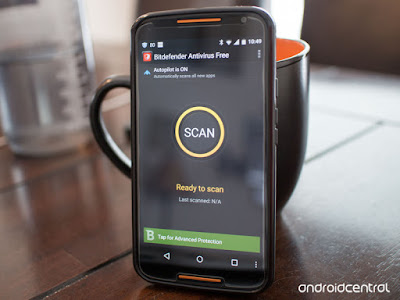
  2. 2. Bitdefender Antivirus Free
    Bitdefender isn't as well-known as some other antivirus companies, but its Android security app is light, powerful, fully featured and easy to use. Despite having paid version, the free version of Bit Defender was already quite capable. How it works is very simple. You install, scan devices, get rid of the threat and then sit back and wait for those who would idly try to break into your device.
  3. 3. Avast! Mobile Security & Antivirus
    Avast Antivirus security system is mostly contained in a PC or a computer, but one antivirus, it is also believed to be very powerful to be installed on your Android phone. In order for your smartphone protected from various kinds of virus and malware attacks that can damage your Android software. One of the advantages possessed by avast mobile security feature is the presence of burglar (anti-theft), GPS tracking, SMS history, alarm, automatic locking smartphones and also complete with the URL and Firewall features.
  4. 4. McAfee Mobile Security for Android
    A well-known name in PC anti-virus software, McAfee impressed us with its wide range of features, which balance functionality with ease of use. We especially liked this product's anti-theft and privacy-protection features, not to mention its intuitive interface, which is full of helpful notes and keeps complex features simple and understandable. But this product's malware-detection rate wasn't quite perfect, and at $29.99 per year for the premium version, McAfee Mobile Security costs twice as much as rival apps that offer better protection.
  5. 5. 360 Security – Antivirus Boost
    Shot by Qihoo 360 Software, 360 Security is one of the best security and antivirus applications that exist in Google Play, the fun application is free and full features. Everything you want is here, ranging from cleaning devices from threats, clean up junk, and has a privacy advisor and monitor data.

Some Reasons Causing Android Smartphone Hangs

Today's modern era, generally smartphone does have exceptional features than a regular cell phone, be it BlackBerry, Android smartphones such as Samsung Galaxy, Nokia, Sony Xperia, etc. However, all the devices still have weaknesses, especially in the resilience of hardware and software crash risk.
In the discussion, this time, we will discuss the causes of smartphones often hangs and then suddenly restart itself, including:

  1. 1. File management is not good and messy
    Managing files in your smartphone are highly recommended, such as cache and cookie are still lodged in your smartphone. Because if the junk files like that are not in the clear and well-run, it will cause your smartphone will be more severe and could lead to hang smartphone.

  2. 2. Running multiple applications simultaneously
    Run many applications simultaneously will cause the performance of the smartphone to be heavy and have to hang a huge risk. Use of existing applications to prevent smartphone interchangeably hangs and error.

  3. 3. Too many applications that are installed on the smartphone
    Too many applications android installed on PlayStore or from APKs that are not within the capacity of the device on your android phone, for example, you install 3d games in PlayStore while the game requires specification of android device that is above average, especially the GPU and RAM memory is enough well, the GPU functions to display the image, if your android device does not support GPU and RAM than average better not be imposed as it would lead to the failure of operation, locate the appropriate application to your android device.

  4. 4. The occurrence of the Software System Crash
    This can occur if you modify or add an application that resides on a system or it can occur due to other things like removing the application system, the most common thing is damage due to the modification.

  5. 5. Not having a reliable antivirus application on smartphone
    Smartphones have already approached the operating system OS computers and laptops so desperately need users to install antivirus and update it. Especially if you frequently online then it is absolutely necessary to prevent virus entry into your smartphone and can lead to hang.

  6. 6. Excessive use your Smartphone
    Surely this will not be a trivial thing, Smartphone Usage in excess can lead to overload the CPU and memory RAM if it happens android smartphone will hang and will even restart itself.

  7. 7. Memory storage is full

    Memory storage is full could lead to your smartphone hangs. The solution is to delete data that is not needed or immediately move to a computer or laptop.

    So a few things that will lead to hang on a smartphone. Therefore more careful in the use of smartphones in order not to hang. I hope the above review useful to you.

The Best FM Transmitter App For Android

android transmiter
if you are among individuals who sincerely revel in taking note of songs at any time of the day, be to your car or anywhere, then the nice aspect for you is to make use of the excellent FM transmitter app.

At gift, customers can enjoy more than ten thousand songs with the assist of those applications. those apps are virtually extraordinary and people like to pay attention to most popular and latest music added by means of those programs. Now, before we delve deep into the list of fine FM transmitter packages for Android, allow us to provide you a brief description of what FM transmitter apps are.

FM Transmitter App

In FM radio, there may be a frequency modulation transmitter that traps and approaches indicators and radio act because the alternative to the loudspeakers. This frequency modulation (FM) transmitter facilitates the apps in connecting along with your cellular tool. The paintings characteristic is similar to a Bluetooth. The simplest issue is you need a working net connection due to the fact Android frequency modulation apps provide FM transmission through the internet.

Best FM Transmitter App For You

Now, let us check out the list of best FM transmitter App for android:


one of the excellent FM transmitter packages inside the gift market. The common Bluetooth to frequency modulation in conjunction with direct in-car audio solution makes this one the best software. The UI provided by using music hyperlink is virtually sophisticated yet, it is easy to use.

The hardware of track hyperlink is managed by the unfastened android utility. once you have got downloaded the loose music hyperlink app, it is really easy to use, simply, plug, pair, play and percentage.

down load the Tunelink app from Playstore or you can additionally get it from Android market. and then plug the track hyperlink within 12V power supply of your car. allow the Bluetooth and pair as soon as to the Tunelink unit. Use FM transmitter or the direct connect option for playing your track thru car audio system.

Also, you can set up the share mode for activities through the tunneling application. The features of Tunelink include Hi-Fi speakers; direct connect, Bluetooth pairing, humbuster and fast USB charger.

Quick FM transmitter

Quick FM transmitter

This unique use utility rolls out briskly for getting the ISO3. The particular use makes ISO 1, ISO3 and ISO5. This little software is a good deal better than the general public bear in mind it to be. The pleasant a part of this app is it really works perfectly on exclusive cellular devices apart from tabs. Being well matched with distinct mobile devices, this one is my personal favorite.

This one does now not soak up any additional space and also you won’t have to buy a large number of extra hardware like different packages. we might have given it a five-superstar score, but given that it's far simplest suitable for ISO 1, 3 and 5, we're giving it four.5 stars.

Vacant FM locator

Vacant FM locator

The application does not turn your device into an FM transmitter, but it is actually meant to be used with a separate FM transmitter device. It takes up your perfect location and then it launches the site www.radio–locator.com. This website offers a list of unused frequencies that you can use.

FM transmitter helper

FM transmitter helper

This utility makes use of your gift vicinity in locating out which one may be the most beneficial r/c for being used at the side of your FM transmitter. for getting the highest satisfactory, this utility offers three stations that cause the least interference without any trial and blunders.

makes use of the FCC database and it's far the ideal one for car trips. additionally, an area issuer desires to be enabled inside the cellphone configurations.

Car home ultra

Car home ultra

This app is capable of gambling Mp3/M3U/PLS/AAC/ACP channels and shout solid/ ice cast upload channels. This app accommodates of the modern day era. It collects the present day and maximum popular audio for you. it's been voted because the maximum famous and most downloaded FM Transmitter application in the current years.

conclusion:

these are the most popular and most used FM transmitter programs for android. we are hoping you shall enjoy our collection of applications. The collections were introduced consistent with their scores and additionally the pinnacle downloads in step with Playstore.

So we assume that those are simply the nice applications for you. the use of those applications you could experience music through the net at any time of the day or night time. if you have used any of those above-referred to packages experience free to proportion your enjoy. For more thrilling matters to recognise, hold exploring our blog

How To Take Care of Your Smartphone Touch Screen For More Durable

Currently, there is the little variety of electronic company creates touchscreen phones. Even though they are competing in order to penetrate the market and attract the gadget lovers worldwide remedy using its products.
Lots of exciting features offered in it. Because that which is one public appeal until finally chose touchscreen phones as a means of everyday communication.

However, some of them still do not know and realize, that the mobile phone touchscreens also require extra attention in their care in order to stay awake quality. Why should get extra in treatment? That's because care touch screen is very different from the usual screen. Improper maintenance will make the device easy to be damaged and this is a loss for gadget users.

It can be overcome, for example with the addition of Gorilla Glass screen or technology similar to that purpose is the same, to be a touch screen protector. But not all touch-screen smartphone has not added Gorilla Glass technology or similar technology, therefore caring touch screen phone that is not perishable and durable as well as durable an act that should not be overlooked.
Here we summarize some tips and ways on caring for the touchscreen smartphone that is easy to do.

  1. 1. Clean Screen Smartphone
    This is the most fundamental if you have a touchscreen smartphone. Clean the touch screen regularly to avoid damage to the screen, and it can also remove dirt and dust off. The trick routinely wipes your smartphone screen using a soft cloth or tissue that has a smooth texture. It would be better if you use a special fabric, which is a microfiber cloth to clean it.

  2. 2. Use Screen Protectors
    Using a screen protector on your smartphone is mandatory. It aims to keep the touch screen of your smartphone stays clean from dust, direct touch of your hands and dirt. In addition, this screen protector can for insurance if one day your phone is dropped, then the least damage to the screen will be reduced and can extend the life of your smartphone. And although the screen of your smartphone is equipped with Gorilla Glass, still, you have to add the screen protector is due to the fact his Gorilla Glass technology is not perfect because it can still be damaged even if only exposed to dust of the road. This screen protector you can buy the same when you buy a smartphone.
  3. 3. Wear Protective Smartphone
    This smartphone can be a protective casing or flip accessories that aim to prevent friction on the smartphone and the screen, especially when entering into the dashboard of his car, pants pocket or in a bag. It is worthy of your notice because your expensive smartphone must be maintained in order to remain durable and not easily damaged physically. In addition, this smartphone protector can minimize the damage when the smartphone and fell. Patron of this smartphone you can buy a package with a screen protector, and is available in all stores and smartphone gadget accessories.

  4. 4. Don't use nails When Pressing Screen
    Pay attention to your hands, make sure the nail on the finger you are not potentially damage the touch screen of the phone. Because many people who use their nails to press or tap the screen smartphone. Nails are sharp, hard and long may damage the screen of your smartphone. So, if you want to cut your nails your phone's touch screen safe.

  5. 5. Keep out of the Magnetic Field
    Be careful if your smartphone too often adjacent to the magnetic field. This can lead to damage to the smartphone and its touch screen, but it can also lead to reduced its sensitivity on the smartphone display. Therefore, keep your smartphone from the magnetic field. This magnetic field is usually found on some electronic goods.

  6. 6. Don't press the touchscreen too hard
    Normally something like this happens when you're playing games or running applications. I was so engrossed in her you play the game, it could be you press the touch screen hard. When this happens continuously, then over time the touch screen on your smartphone will be damaged and not only that, it is also possible that the LCD also damaged. So, be careful in pressing the screen.

That tips and how to care for and maintain the smartphone screen to avoid damage. I'm sure you all can practice the above tips and how to properly and correctly. Hopefully, this article can be useful to you.


Tips on Choosing a Memory Card Before you Buy it


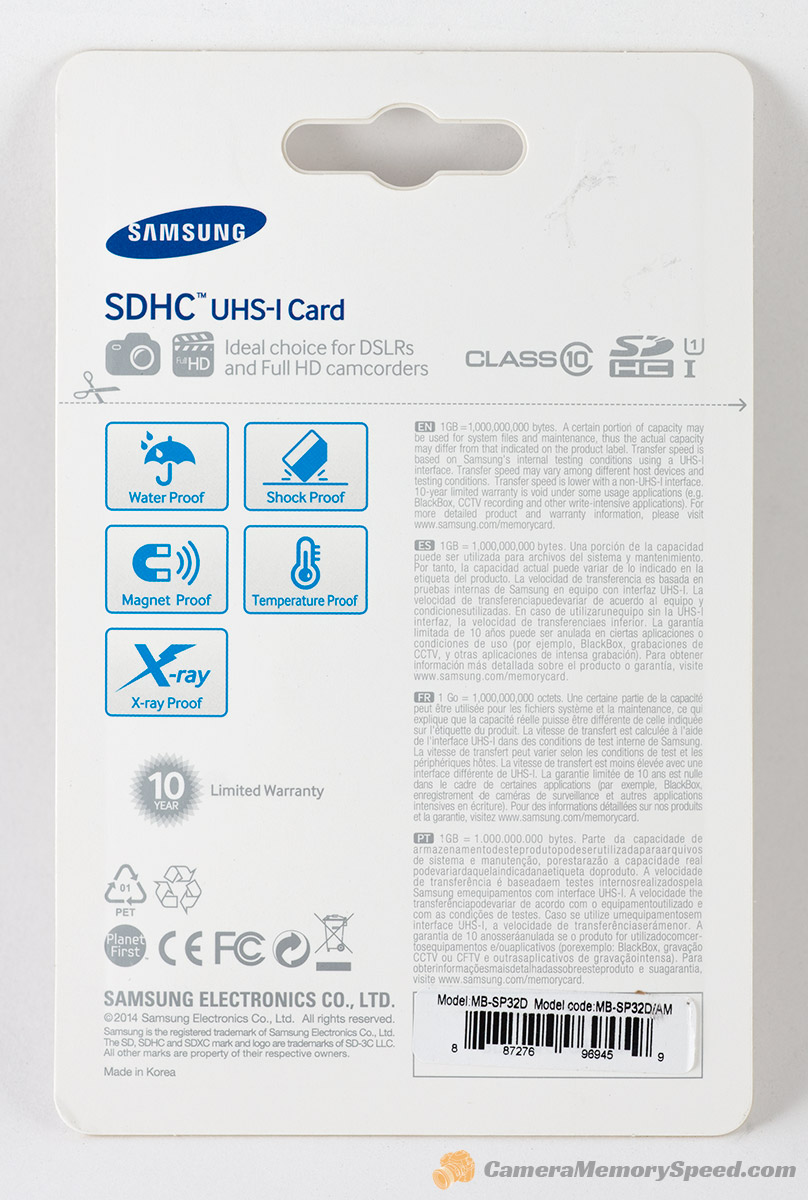
Along with the increasing sophistication of technology development capabilities of smartphones, digital cameras, and the latest gadget, then the need for a data storage medium-large files makes the memory card (memory card) as a basic requirement that is inevitable. Moreover, create local-hp hp usually minimal in the internal memory capacity, the memory card is a reliable solution that is required to support a limited internal memory. But you know that from various memory cards that have turned out to have different types and unique specifications that make it different from each other.


If you are new to a memory card or sd card and intend to buy, you should first understand the types and specifications as needed, why it is important for you and your device. You will have a better understanding of what works on your device and why. Additionally, you should be able to choose the right SD card for phone, camera, tablet or whatever gadget you are and how you want to use. Not funny if you buy the wrong type of memory card simply because it is less understanding and less careful in selecting ?
Well, before you go any further in choosing a memory card, you will shed some light on various sd card (commonly circulating at this time) so you avoid mistakes and can make choices, what a memory card that fits precisely and carefully.  Here's the explanation :

1. Specifications Type SD, SDHC, and SDXC
The first thing you need to know is the type of memory card that fits your gadget or mobile device with a look at the gadget itself, or a reference from a guidebook or other information media (newspapers, magazines, tabloids, etc.). This is to avoid the possibility of buying a type because it is impossible to install a memory card specifications are not appropriate.
Secure Digital Association (SDA) to develop specifications for all SD cards and devices that support it. To use a specific type of SD card in the camera, for example, the camera manufacturers must comply with the SD Association specification. Memory cards currently in circulation among the types of SD, SDHC, and SDXC. This type of memory card hold in all conditions and safely if dropped at a height below 2 meters. 

2. Shape and Size Memory Card
The shape and size of the memory card
Besides causing memory card capacity becomes larger and the speed increases, the development of advanced technologies also cause a form of memory becomes smaller making it easier to take traveling, kept in a pocket or other media.

3. Label Class and Speed ​​Memory Card
The third thing that is equally important is to determine the needs for speed reading and writing of the memory card. Each of these digital devices has different data transfer speeds. Match velocity (speed) memory card to be purchased with existing devices. If confused do not hesitate to ask the seller. The goal, so you do not accidentally buy a memory card.
Level speed memory cards are classified by code number. On each SD card labeled with one of the speed class ratings. Currently for non-UHS memory cards are divided into four different classes. You will find the speed class number written in the letter "C" on the label non-UHS card. While the memory card only consists of UHS speed class 1. As an identifier, you'll find a numerical grade rating written in the letter "U" on the label card.

4. Memory Card Warranty


The next thing to consider is the warranty that you get when buying a memory card. Ensure Micro sd purchased has an official guarantee. Try to buy a memory card lifetime warranty (lifetime warranty). The names of famous sorts of SanDisk, Transcend or V-Gen certainly provides a lifetime warranty so you do not worry too much if the memory card data is lost or damaged while in use. you suggest you should buy branded memory cards are sold in the condition of the packaging is still sealed or packing intact. Also, examine the after sales service (after sales service) brand would you buy.

 5. Adjust the size of Memory Needs


Image result for size SD Card
The other important thing is to recognize first memory card will be used for any gadget, whether smartphone, MP3 player, tablet, digital camera, PDA or other. After that adjust the size of how much memory you want to buy the necessities. The point here is that if you are the person who is happy to store music files, videos or games it is proper that you buy a memory card capacity is big enough. But if you do not put too many files in the phone or tablet you buy suffice it to the small-sized memory card. No need to use a large capacity (8GB for example), while you simply use no more than 2GB of memory. Of course, this will be savings. Moreover, the current premium smartphone or tablet usually provides an internal memory which is quite large.

6. Factor Prices and Brands

Now many outstanding brands and types of memory card, look for the obvious quality and quality. Price sector also needs to be seriously considered. Of course, the greater the storage capacity and the faster the sd card price will be more expensive.

How To Easily Overcome The Android Smartphone That Died

Sophisticated or as expensive as any smartphone is the electronics that are prone to damage. It could be due to defective production, user negligence such as fall or hit the water, and because it was already eaten by age.

smartphone

If you are experiencing Android smartphone that suddenly does not want to light up or die total aka totally off, don't panic! Not necessarily a smartphone you defective, sometimes you just have to do some tricks to revive SmartPhone's pet you. Here we present a solution, 5 ways of overcoming the Android died.


1. Charge your Smartphone You

charge the smartphone

It could be due to bugs or because of a large number of applications that run in the background, sometimes we are not aware of our smartphone runs out of power. Especially before going to bed, the battery only the remaining 20%. When you wake up, Android smartphone is dead and does not want to light up when turned on.

Trying to do the charging, do not instantly lit. Leave it on for some time, so that the cell phone battery is filled up to about 15-20 minutes. Only then press the Power button to try to reignite if it doesn't work, go to the next trick.

2. remove the Battery

How to fix android die total

Sometimes the problem is a bit serious than battery low, for example, smartphone, you are stuck in the booting process or due to the incessant boot loop. Tricks that you can do is to remove the battery. Battery for blending in a body, manufacturers typically provides a special button. For in the forced power off your mobile phone when an emergency or press the Power button a while (20-30 seconds). By doing this, you cut off the only source of power is a smartphone. This should have been solving problems and making smartphones you back the boot process correctly.

3. A black screen


The Smartphone certainly we often save in the narrow pants pocket or brought to bed. We do not know, maybe the phone snugly sleep depressed by our agency. If when you wake up you find SmartPhone in a State of death or brick, but when pressed Power button rattle but just the  dark screen. This means that the screen smartphone you may indeed be problematic on its screen and should be brought to a service center. Well, make sure that you sleep, and put the cell phone in a safe place. It is also to avoid the danger of harm from radiation smartphones.

4. Do a Factory Reset from Recovery Mode

How to fix Android that Died

If the smartphone you sometimes flame, sometimes get stuck in a boot or a flame and then die again. Perhaps the problem lies in the software, it can happen after you perform the update to the new version of Android or using custom ROMS and making a few tweaks to the system.

To resolve this problem, you should try doing a factory reset via recovery mode which will delete all the data in the mobile phone and back like new. Make sure you've done backing up important data, this method should be performed if the smartphone is already unstable.

Generally, the first to do this, you must turn off the phone and turn it back on with the combination knob volume up + volume down + power button. The combination knob varies, depending on the type of device makers and manufacturers of smartphones.

Once you are in recovery mode, navigation typically uses using the volume button and look for the option to Factory Reset. After you find that option, use the Power button to execute.

5. May indeed be Broken


How to fix Android who Died

Should the above tricks can make a smartphone you will be back to normal. If anything goes wrong or maybe still not lit, it means that the smartphone hardware you might just be problematic or damaged. If still you have to consider for warranty claims to warranty service center or buy a new smartphone/former if no warranty and the cost of repair is too expensive.

That's 5 simple tricks, you can do if you suddenly die SmartPhone. If the problem is in the software can still be doctored, but if it concerns the hardware should be brought to a service center. If there are additional from you, PIN in the comments field below

How To Move All The Data From Android To IPhone


move data to Android to iPhone and vice versa is indeed not an easy thing to do. Moreover, when data is being transferred. However, Jaka had an easy way to solve this problem, which is offered from AndroidRecoveryTransfer. You can transfer contacts, iCloud, other accounts, SMS, songs, movies, and photos to the iPhone or Android phones you with easy. How do you do?

Use the Mobile Transfer Software on You PC or Laptop

If you want to move your data from any Android smartphone to iPhone or vice versa, you can use the software Mobile Transfer through PC or laptop you darlings. By using software of this one, you just need a few clicks, then finished already, your data is successfully transferred. Before the happy, do these steps in advance

1. Download advance Mobile Transfer

advance Mobile Transfer


Before you start how to move all the data from Android to iPhone or vice versa, you must first install the Mobile Transfer. Then, there will be a pop up interface, select "Phone to Phone Transfer", then click "Start". You need to know, this requires iTunes software installed on your PC or laptop data transfer so that you can be successful.

2. connect your smartphone Android and iPhone to PC or laptop

mobile Transfer pc

After that, you are required to connect Android smartphone and iPhone via USB cable simultaneously. If you do, then there will be a display of "Source" and "Destination" in the main window. It was here that makes it easy for you to move data between your Android smartphone to iPhone or vice versa with the option "Flip". In addition, you can also delete data directly on the device when you want to duplicate your data with "Clear data before copy".

3. How to move all the data from iPhone to Android

advance Mobile Transfer

Mobile Transfer can allows you to transfer your contacts, text messages, music, photos and video from iPhone to Android smartphone. When you're ready to move your data, then click "Start Copy" to resume work. REMEMBER! Never unplug the USB cable while data transfer is in a State of processing.


mobile transfer PC

You can transfer data from iPhone to Android smartphone will be shown as a list. Select the data that you want to move, then click the "Start Copy" to begin the transfer. Such a way that it is done on the third point, you are very very banned unplug the USB cable when the removal process is going on. When the data transfer is complete, click "OK".

Wow, how to move all the data from Android to iPhone or vice versa the easy isn't it? Now, you have no need to be confused deh when you want to change your mobile phone and have to move all the data. Not only move data between iOS to Android, Mobile Transfer can also be applied to Symbian based devices, steady! Share you opinion in the comments field below